 BuildAudit
BuildAudit vs CompanyCam: Which Job Site Photo App Is Right for You?
CompanyCam is the best-known name in job site photo documentation, and for good reason — it's a solid, mature product. But it's built and priced for teams, and it doesn't do invoicing. If you're a solo contractor or a small crew who also needs to get paid, here's how the two actually compare.
Quick comparison
| Tool | Best for | Starting price | Invoicing included |
|---|---|---|---|
| BuildAudit | Solo contractors & small crews who want photos, punch lists and invoicing in one app | $9.99/mo or $79.99/yr (flat) | Yes — itemised PDF invoices |
| CompanyCam | Larger crews needing team coordination, checklists and client access | $63/mo (Core, 1 user) | No — payment collection only on higher tiers |
CompanyCam pricing shown is per the current published tiers (Core $63/mo solo, Crew $129/mo, Scale $199/mo, each covering a limited number of users with per-additional-user fees) — check their site for the latest figures before deciding.
What CompanyCam does well
CompanyCam is purpose-built for photo documentation at scale: timestamped photos, project history, real-time job tracking, checklists, task assignment and client access at higher tiers. If you're running multiple crews and need centralized photo management across a team, it's a proven tool with a large user base.
Where BuildAudit is different
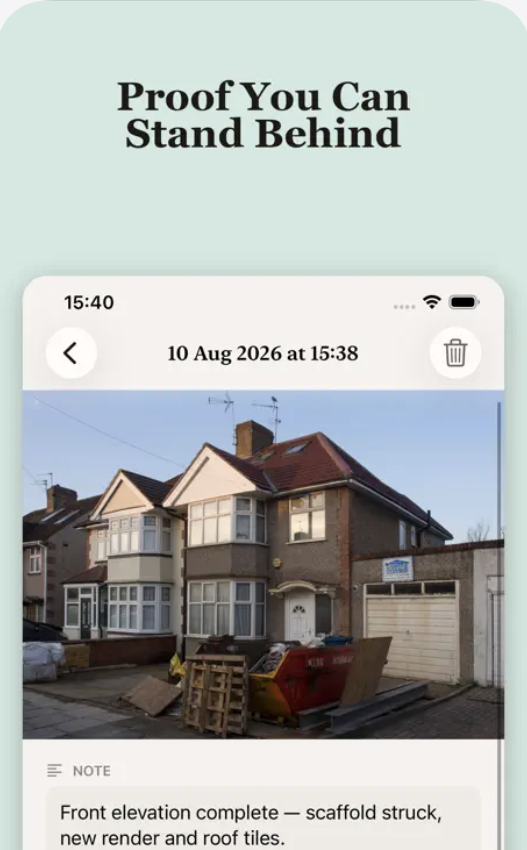
- One app, not three. BuildAudit combines GPS-stamped photo documentation, punch list tracking, and itemised PDF invoicing in a single app — CompanyCam covers photos and team coordination, but you'd still reach for a separate tool like Joist or QuickBooks to invoice.
- Flat pricing, not per-user. BuildAudit Pro is $9.99/month or $79.99/year, full stop. CompanyCam's Core plan is $63/month for one user, with additional users at $29 each — a meaningful cost difference for a solo operator or two-person crew.
- Three built-in report formats. Work Summary, Insurance Evidence, and Daily Site Log reports generate as clean PDFs directly from your photos and notes — no separate reporting tool needed.
- Private CloudKit sync. Your data syncs via Apple's private CloudKit, tied to your own Apple ID — no third-party backend and no account sign-up required to get started.
Who should pick which
If you're managing multiple crews across sites and need real-time team coordination, checklists, and client-facing dashboards, CompanyCam's higher tiers are built for that. If you're a solo contractor, tradesperson, or small crew who wants to capture proof, track a punch list, and send an itemised invoice without juggling three subscriptions, BuildAudit is built specifically for that workflow — at a fraction of the monthly cost.
Photos, punch lists and invoices — one app, one price
Free to start with 2 active projects. Pro is $9.99/month or $79.99/year.
Download on theApp StoreFAQ
Can I import my CompanyCam photos into BuildAudit?
There's no direct import today. If you're switching, start new projects in BuildAudit going forward — most contractors run both briefly during a transition rather than migrating history.
Does BuildAudit support multiple users on one project?
BuildAudit is built around a single user managing their own projects and clients, not multi-seat team accounts — that's the trade-off for its lower, flat price versus per-user team platforms.
Is CompanyCam better for large companies?
For companies running several crews across many active sites at once, CompanyCam's team-coordination features and per-tier scaling are the more direct fit.
Pricing mentioned is accurate as of publication and subject to change — always confirm current prices on each app's own site before deciding.