 BuildAudit
How to Run a Punch List That Actually Gets Closed Out
Every job ends with a punch list, and most punch lists end up the same way: scrawled on a notepad, texted as a photo, half-remembered by the time anyone gets back to it. The list itself isn't the hard part — keeping it visible until every item is actually closed is.
Why punch lists stall
- They live in the wrong place. A note on paper or in a group chat gets buried the moment the next job starts.
- Nothing forces a return visit. Without a due date attached, "I'll get to it" has no deadline.
- Everything looks equally urgent — or equally unimportant. Without priority, a cosmetic touch-up and a safety issue sit on the same flat list.
- There's no single source of truth. If the client, the crew and the contractor are each tracking their own version, items get done twice or not at all.
The structure that actually works
1. One list per project, not per person
A punch list attached to the project itself — not a phone's notes app or one crew member's memory — survives staff changes and stays the reference everyone works from.
2. Every item gets a due date
An item without a due date is a wish, not a task. Even a rough date turns "outstanding work" into something with a deadline attached.
3. Priority, not just a flat list
Separating "must fix before handover" from "nice to tidy up eventually" means the list gets worked in the right order instead of whatever's easiest first.
4. Visibility in your reporting, not a separate document
A punch list that automatically rolls into your Daily Site Log report — rather than living as a standalone document nobody checks — stays in front of you and the client without extra effort.
Closing items out, not just adding them
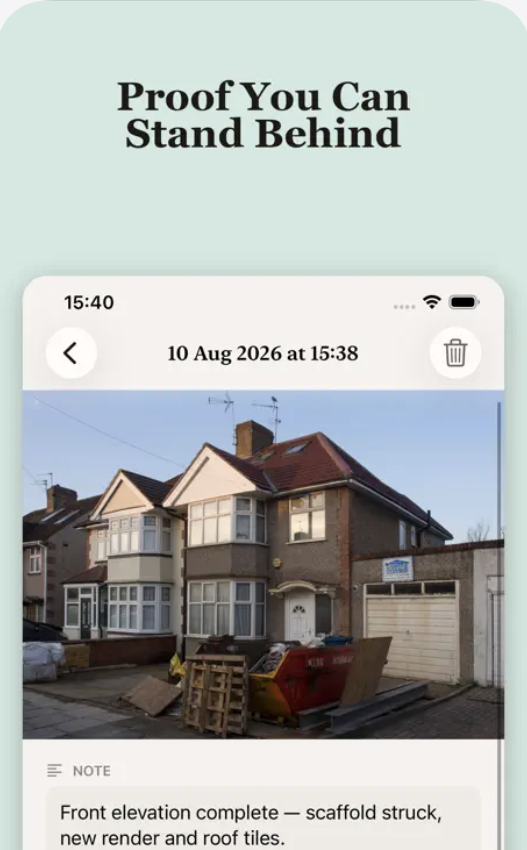
A punch list is only useful if items leave it. Reviewing outstanding items at the start of every site visit — not just when a client complains — is the difference between a list that shrinks and one that only ever grows. Tie closed items back to a photo where you can: it's the fastest way to prove something was actually fixed, not just marked done.
Punch list items, tracked against the project
Due dates, priority, and automatic rollup into your Daily Site Log report. Included with BuildAudit Pro.
Download on theApp StoreFAQ
Who should be able to add items to the punch list?
Anyone who spots an issue on site — but one person should own reviewing and prioritizing it, or it turns into an unmanaged wish list.
Should punch list items include photos?
Where possible, yes. A photo removes ambiguity about exactly what needs fixing, and closing the item against the same photo confirms it visually.
How does a punch list relate to the final invoice?
Outstanding punch list items are a reasonable basis for holding back final payment on a project — which is exactly why closing them out cleanly, with evidence, matters before you send the last invoice.
This guide is general project-management information for contractors and field crews.